
01 / PLAYBACK
The music, front and center.
Playback controls, synchronized lyrics, and the information inside your music files.
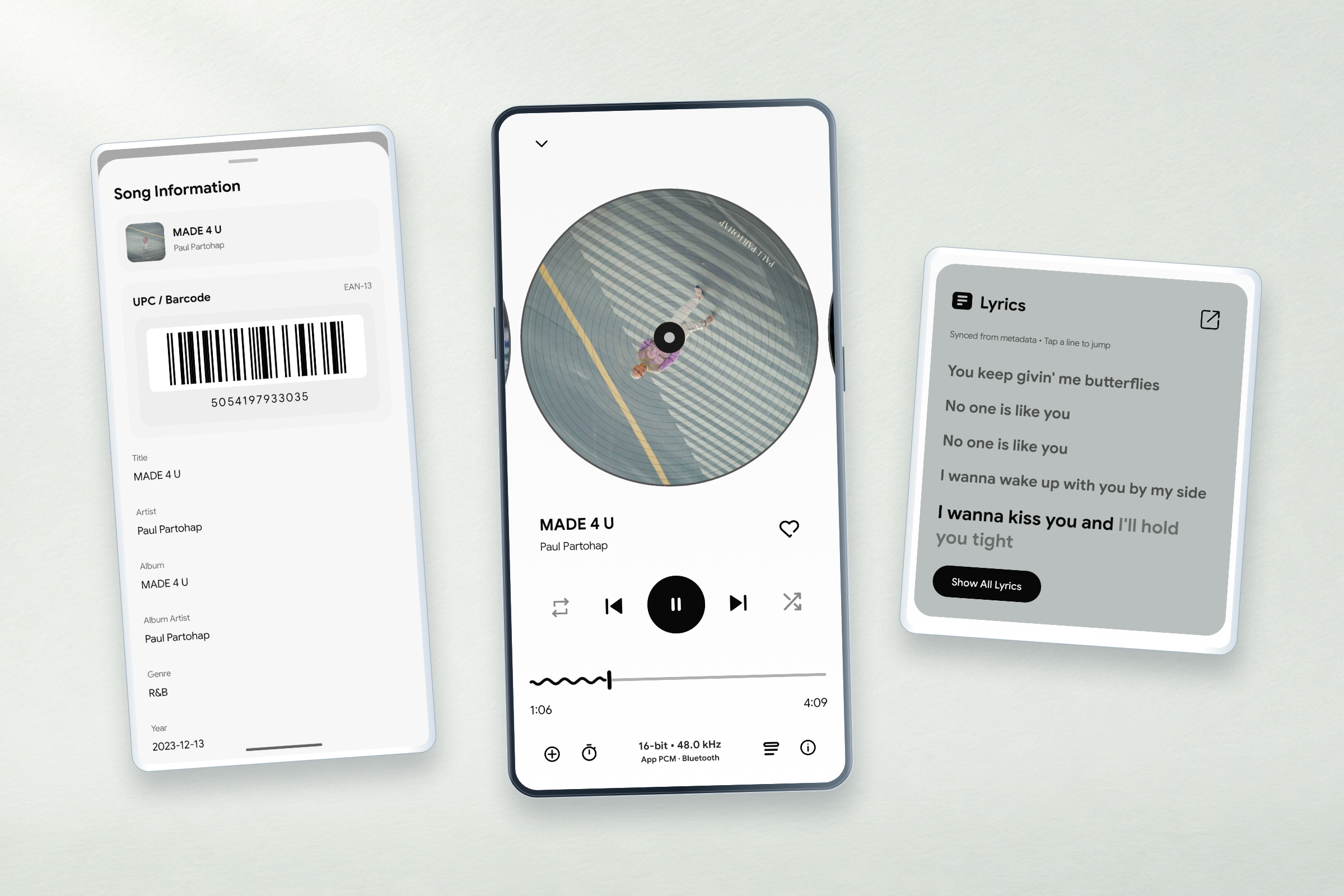
Nebula brings the files you keep on Android—and, if you choose, Google Drive—into a library built for listening. Find tracks, read lyrics, manage playback and explore your collection without a subscription catalog.

Local tracks come first. Connected services are optional, and the tools stay close to the music.
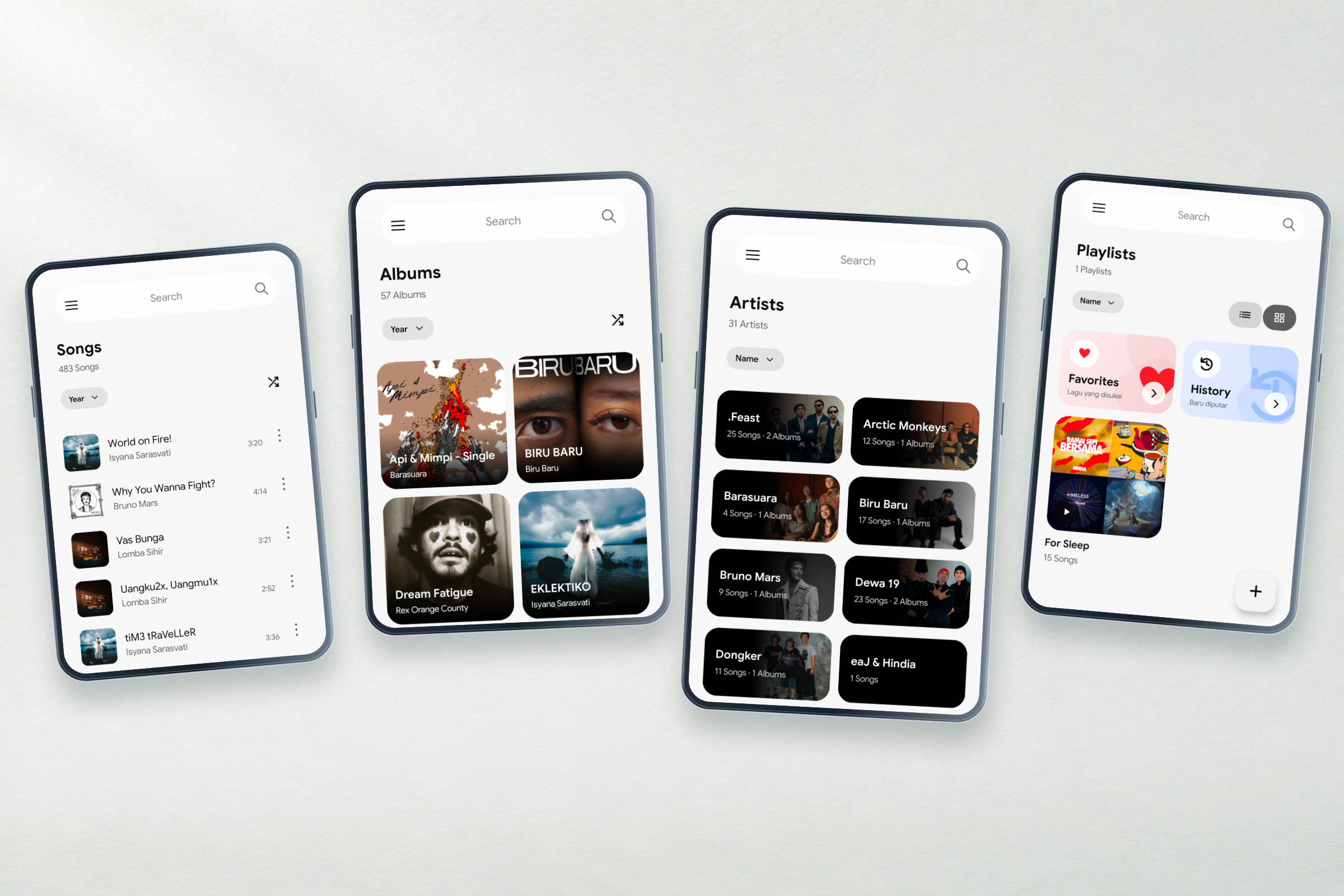
Browse songs, albums, artists, playlists and selected folders. Use search, sorting, favorites, and recently played views to get back to the music you want.
Explore library featuresConnect with official Google authorization, select music folders, include subfolders, and stream supported tracks. The requested Drive scope is read-only; music on your device stays available without signing in.
How Drive worksTwelve original app views, from your collection to the details of a track. Select any view to take a closer look.
Playback controls, synchronized lyrics, and the information inside your music files.
Browse songs, albums, artists, and playlists in the way that makes sense to you.
Return to recent albums, explore your most-played music, and follow your listening activity.
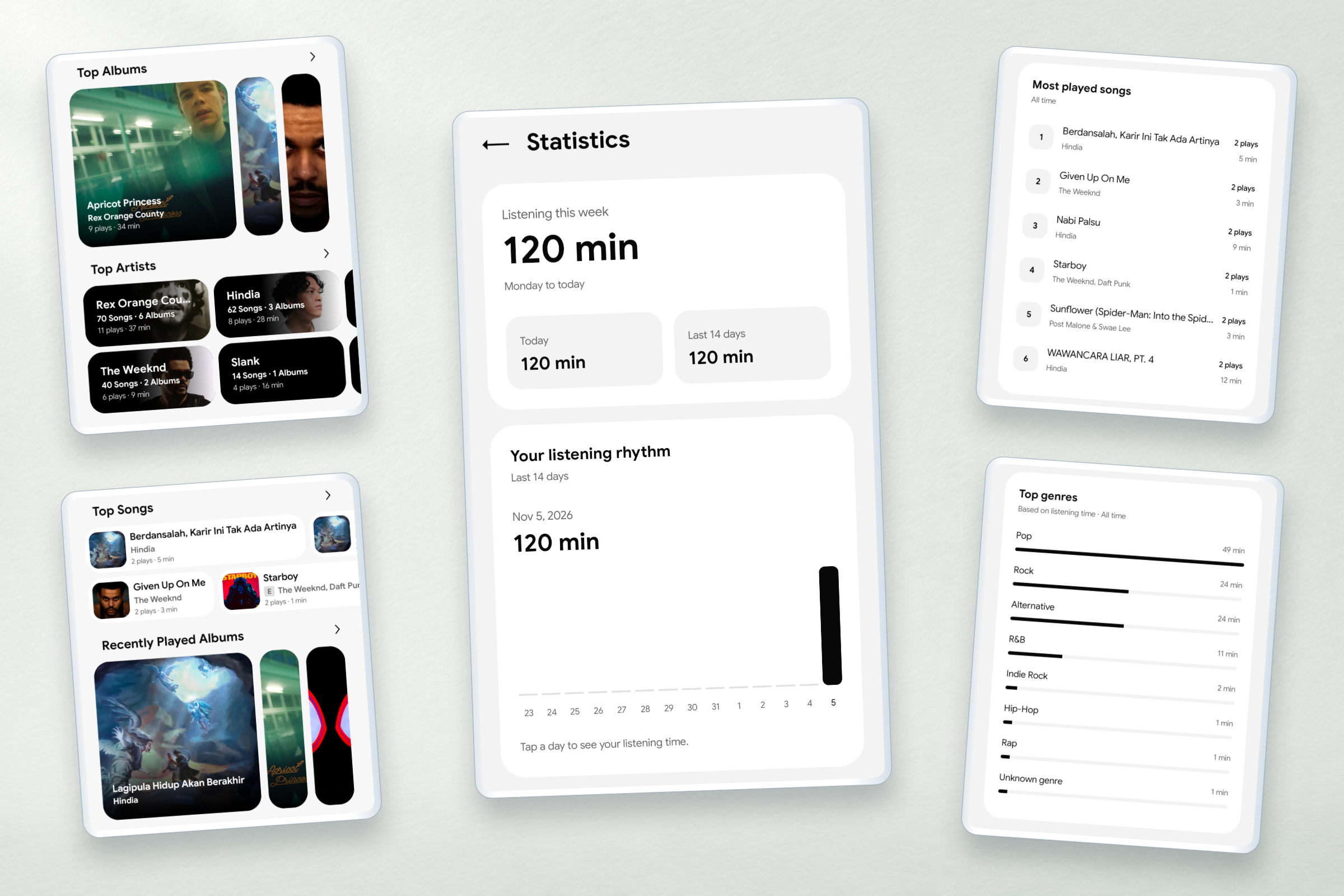
Screenshots may vary with the app version, device, and your music library.
Embedded lyrics, available artwork, track and disc numbers, explicit tags, and additional release identifiers where present.
Equalizer, Smart Sound, ReplayGain, and optional integrated-LUFS normalization with headroom protection.
Crossfade, gapless playback, play/pause fade, sleep timer, Focus Mode, and supported USB DAC output.
Playback controls, listening statistics, responsive layouts, and multiple home-screen widget styles.
Nebula recognizes common audio files and several additional formats in both local and Drive libraries. Actual playback still depends on the codec, container, and device support.
Check audio formatsAn independent Android player, built around the library you already have.
Learn how Nebula handles local music, optional Google Drive access, account information, and your privacy choices.
Read Privacy Policy1 / 8